11 Airbnb Settings BLOCKING Your Bookings Right Now
By James Svetec · September 17, 2026 · 10 min read
Part of our Airbnb Hosting 101 guide →
Key Takeaways
- Enabling Instant Book gives your listing a direct algorithm boost — use Airbnb's built-in guest requirements to screen guests without losing that ranking advantage.
- High minimum night requirements create unfillable 'orphan' gaps between bookings; dropping to a two-night minimum opens your listing to the majority of Airbnb searchers.
- Airbnb's Smart Pricing tool optimizes for platform commissions, not host revenue — replacing it with a third-party tool like PriceLabs can recover thousands of dollars annually.
- Default weekly and monthly discounts are auto-populated by Airbnb and often go unnoticed — check your discount settings now to stop quietly losing revenue on longer stays.
- Your cover photo drives click-through rate, which directly affects search ranking — your first five photos function as a visual pitch and most guests decide within seconds whether to explore further.
If your Airbnb listing isn't getting the bookings it deserves, the problem likely isn't your property — it's your settings. Hidden dashboard configurations are actively suppressing your ability to Airbnb increase bookings, and most hosts have no idea these traps even exist. Some were set by Airbnb by default.
Others were switched on by well-meaning hosts trying to protect themselves, only to end up working against their own reservations.
Watch the full video above or keep reading for the complete breakdown.
1. Instant Booking Is Disabled
This is the single most common — and most damaging — mistake hosts make. Airbnb's algorithm significantly favors listings with Instant Book enabled. When you turn it off, Airbnb's search engine treats your listing as less accessible and drops it in results accordingly.
The fear behind disabling it is understandable. Hosts worry about accepting guests they haven't screened. But Airbnb gives you tools to handle this without sacrificing your search ranking. You can require guests to provide a government-issued ID, have positive reviews from previous hosts, and meet other criteria you define.
Enable Instant Book, set up your guest requirements, and you get the algorithm boost without accepting guests who don't meet your standards. It's the best of both worlds — and hosts who make this one change often see immediate improvement in visibility.
2. Your Minimum Night Requirement Is Too High
Most Airbnb guests are booking two to three night stays — weekend getaways, short city trips, quick escapes. If your minimum is set to four or five nights, you are invisible to the majority of searchers. They won't even see your listing in results.
There's a second, less obvious problem: high minimums create "orphan" days. These are one or two night gaps between bookings that can't be filled because they fall below your threshold. Those empty nights add up to serious lost revenue over time.
BNB Mastery recommends reducing your minimum to two nights. Better yet, use a dynamic pricing tool like PriceLabs, which automatically adjusts your minimum night setting based on demand, season, and how far out the booking date is. This approach captures short-stay guests while still filling longer gaps efficiently.
For more on this, the post on boosting Airbnb bookings with pricing hacks covers similar revenue-maximizing strategies worth reading alongside this one.
3. Your Booking Window Is Too Short
Many hosts only open their calendar three to six months out. That might feel like plenty of runway, but Airbnb's algorithm rewards listings that accommodate long-range planning. Guests booking for holiday weekends, destination weddings, or annual family trips often search nine to twelve months in advance.
If your calendar is closed, those guests simply can't find you — even if your property would be a perfect fit. Open your calendar to the full 12 months.
One important caveat: don't set current pricing for future dates without accounting for seasonality. Early bookings are a powerful way to build listing momentum, but underpriced bookings in peak season will cost you. Set seasonal rates intentionally before opening your window.
4. Pre-Booking Requirements Are Killing Conversions
Some hosts require guests to send a message before booking or to explain the purpose of their trip. The logic is reasonable — you want to know who's coming. But every extra step costs you bookings.
A guest comparison-shopping between three similar listings will almost always choose the one with the fewest hoops to jump through. Airbnb's algorithm knows this too. The platform actively downgrades listings with high friction in the booking process because friction means fewer completed bookings — and fewer commissions for Airbnb.
Remove unnecessary pre-booking messages and trip-purpose requirements. If you have concerns about a particular booking, Airbnb's guest requirements (ID verification, review history) are a far better filter than manual messages that deter good guests along with bad ones.
5. Your Cancellation Policy Is Working Against You
This one cuts both ways. A policy that's too strict scares off guests who aren't 100% locked in on their dates — they'll book a competitor's listing with more flexibility, even if yours is the better property. A policy that's too lenient invites last-minute cancellations, leaving empty dates and dragging down your booking metrics.
For most hosts in 2026, a firm or strict cancellation policy is the right balance. If bookings are slowing, temporarily switching to more flexible terms can help re-ignite momentum.
One critical warning: if you currently have an older "strict" cancellation policy that Airbnb no longer offers to new listings, do not change it. Once you give it up, you won't be able to get it back. Check what comparable listings in your market are using, then make an informed decision rather than changing settings blindly.
6. Your Check-In Window Is Too Narrow
If your check-in window runs from 3:00 PM to 5:00 PM, you're excluding a significant slice of potential guests — everyone on a late flight, everyone with an afternoon event, everyone who just wants flexibility. Those guests will find a listing with self-check-in and book that instead.
The fix is straightforward. Extend your check-in window or, better yet, implement self-check-in through a key safe or smart lock. Self-check-in removes the constraint entirely. Guests can arrive on their own schedule, and you don't have to coordinate arrival timing for every single reservation.
This isn't just a visibility fix — it genuinely improves the guest experience. Guests consistently rate the autonomy of self-check-in as a positive, which feeds into better reviews and higher long-term search ranking.
7. Airbnb Smart Pricing Is Tanking Your Revenue
Airbnb's built-in Smart Pricing feature sounds helpful. It isn't — at least not for hosts. Smart Pricing systematically drives your nightly rate down, often to absurdly low minimums. Listings that should command $250-$300 per night frequently end up with minimums set at $80 or $90 when Smart Pricing is active.
Why does Airbnb do this? Lower prices generate more bookings. More bookings generate more platform commissions. Airbnb is optimizing for their revenue, not yours.
Turn Smart Pricing off. Replace it with a third-party tool like PriceLabs or a similar dynamic pricing platform. These tools are built specifically to maximize host revenue, factoring in local demand, competitor pricing, seasonal trends, and booking lead time. The income difference between Smart Pricing and a proper third-party tool can be substantial — often thousands of dollars annually.
The post on Airbnb pricing strategy and optimization breaks down how to structure your rates for maximum return.
Free Tool
Grab the Airbnb Nightly Pricing Tool
Grab the exact spreadsheet James uses to set profitable nightly rates — plus a step-by-step setup cheatsheet.
8. Your Amenities Aren't Fully Checked Off
Guests use Airbnb's search filters constantly. Wi-Fi, air conditioning, free parking, dedicated workspace, EV charging, full kitchen — these filters are how a large percentage of bookings are initiated. If you have these amenities but haven't selected them in your listing settings, you're invisible to everyone using those filters.
Common missed amenities include:
- Wi-Fi speed details (high-speed or fiber connections deserve to be called out)
- Dedicated workspace (a desk in a bedroom qualifies)
- Specific kitchen appliances (coffee maker, dishwasher, full-size oven)
- EV charging availability
- Air conditioning (frequently overlooked)
One host in the BNB Mastery community discovered she hadn't tagged her air conditioning unit. Her listing had been invisible in filtered searches for months. One afternoon of updating her amenities checklist changed that overnight.
Go through your listing's amenities section systematically. If you have it, mark it. This takes 20 minutes and can have an immediate impact on visibility.
For a deeper look at which amenities drive the most bookings in your specific market, check out this post on must-have amenities that drive guest bookings.
9. Default Discount Settings You Never Agreed To
This is one of the most insidious problems on the list because it's entirely invisible unless you go looking. Airbnb automatically populates weekly and monthly discount fields — sometimes at 20% or even 30% off your nightly rate — and most hosts never check this section.
The typical host sets a nightly price and moves on. They don't realize there's a discounts section buried deeper in the pricing settings, and they don't realize Airbnb has been automatically applying significant discounts to every week-long or month-long booking without their knowledge.
Action step: Go to your pricing settings right now. Open the discounts section. Review every active discount. If you didn't set it intentionally, either adjust it to a number that works for your business or disable it entirely. You may have been losing meaningful revenue for months.
10. Your Response Rate Has Quietly Declined
Airbnb tracks two response metrics obsessively: how often you respond to guest inquiries and how quickly you do it. Both affect your search ranking directly. Most hosts don't realize when their metrics have slipped because the decline is gradual.
The hidden threat here isn't the messages you declined — it's the ones you ignored. A late-night question you meant to answer in the morning but forgot. A request that didn't seem to need a formal reply. Every ignored message counts against your response rate.
The discipline required is simple but consistent:
- Respond to or formally decline every message within one hour
- Enable push notifications so nothing slips through
- Use saved quick-reply templates for common questions
- If you don't want a booking, actively decline it — a declined request doesn't hurt your metrics, but ignoring one does
Hosts managing multiple listings will find this particularly challenging. Connecting with experienced hosts in a community like the BNB Tribe can surface systems and tools that help manage high message volumes without letting response rates slip.
11. Your Cover Photo Isn't Doing Its Job
Your listing's cover photo is the single most important piece of real estate you have in search results. If it doesn't stop a scrolling guest, they won't click — and if they don't click, Airbnb's algorithm registers low engagement and drops your listing even further. It becomes a self-reinforcing cycle that's hard to reverse.
Two mistakes show up constantly:
- Using a dull or cluttered interior shot as the cover image
- Arranging photos in a random order that doesn't build interest
Your first photo should be your strongest, most visually impactful image — your "hero" shot. The next four photos should highlight the best features of the property. Research suggests that over 90% of guests decide whether to explore a listing further based on these first five images alone.
Think of your photo order as a visual story. What's the first impression? What does the guest discover next? Rearrange your photos with intention and your click-through rate will improve almost immediately.
For more strategies on improving your listing's performance, the post on 7 keys to a great Airbnb listing is worth bookmarking. And if your bookings have stalled recently, what to do when Airbnb bookings slow down covers the diagnostic steps to identify the root cause quickly.
Fix These Settings and Watch Your Calendar Fill Up
Most hosts reading this will recognize at least five of these mistakes in their own listings — and some will find all eleven. The good news is that every single one of these is fixable today, without spending money or waiting on Airbnb to change anything. Open your dashboard, work through the list, and make the changes.
To Airbnb increase bookings in 2026, optimization isn't optional — it's the baseline. The hosts consistently outperforming their markets aren't doing anything magical. They've simply removed every unnecessary barrier between a searching guest and a confirmed reservation.
If you want a complete, regularly updated system for keeping your listing optimized — not just a one-time checklist — the BNB Tribe community includes a full listing optimization checklist covering these settings and dozens more, along with training on Airbnb's algorithm and access to a network of hosts who are actively implementing these strategies every day.
Frequently Asked Questions
How do I increase bookings on Airbnb in 2026?
The fastest way to increase Airbnb bookings in 2026 is to audit your listing settings — particularly Instant Book status, minimum night requirements, and pre-booking friction. Many hosts lose bookings to easily fixable dashboard configurations, not property quality. Turning on Instant Book and dropping minimum nights to two are typically the highest-impact changes.
Does enabling Instant Book actually help your Airbnb ranking?
Yes — Airbnb's algorithm actively favors Instant Book listings because they generate more completed bookings, which means more platform revenue. Hosts who enable Instant Book typically see improved search visibility quickly. You can still screen guests by requiring government-issued ID and positive review history before a booking is confirmed.
Is Airbnb Smart Pricing good for hosts?
No. Airbnb Smart Pricing is designed to maximize booking volume for the platform, which means it pushes your nightly rate down — often to levels well below market value. Most experienced hosts disable Smart Pricing and use third-party tools like PriceLabs instead, which are built specifically to maximize host revenue rather than platform commissions.
What minimum night stay should I set on Airbnb?
For most listings, a two-night minimum strikes the best balance between capturing weekend guests and avoiding excessive turnover costs. Setting your minimum too high makes your listing invisible to the majority of Airbnb searches and creates unfillable gaps between longer bookings. Dynamic pricing tools can adjust this automatically based on demand and booking lead time.
Why are my Airbnb bookings slowing down?
Slowing bookings are usually caused by one or more listing settings working against you — disabled Instant Book, a narrow check-in window, high pre-booking friction, or a cover photo with poor click-through performance. Response rate decline is another common culprit that hosts don't notice until it has already hurt their search ranking. A systematic settings audit is the best starting point.
Most of these fixes take under an hour to implement — but knowing which settings to check, and keeping up as Airbnb's algorithm evolves, is an ongoing job. The BNB Tribe community gives hosts access to a full listing optimization checklist, algorithm training, and a network of experienced hosts actively managing high-performing listings in 2026. It's the kind of resource that turns a one-time audit into a long-term system.
Free Tool
Grab the Airbnb Nightly Pricing Tool
Grab the exact spreadsheet James uses to set profitable nightly rates — plus a step-by-step setup cheatsheet.
Ready to get started with Airbnb?
Join 240+ members in BNB Tribe — the community James built for hosts and investors who want real results.
Join BNB TribeMore Articles
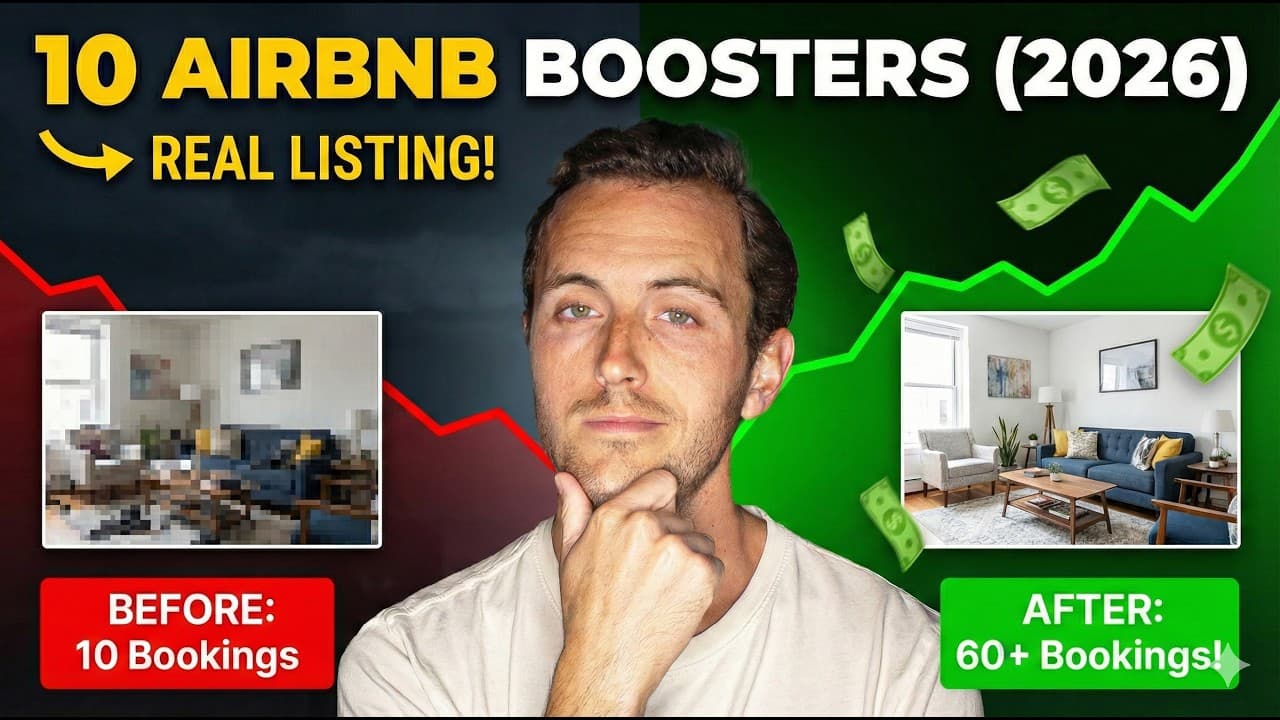
10 ESSENTIAL Steps to Improve Your Airbnb in 2026 (Real Listing Example!)
Most Airbnb listings lose bookings to the same fixable mistakes: bad photos, weak headlines, incomplete amenities, and missed seasonal opportunities. Here are 10 proven strategies to turn any underperforming listing into a consistent booking machine in 2026.
January 1, 2026 · 11 min read

10 Game-Changing Hacks to Improve Your Airbnb
What does it really mean to run a successful Airbnb in 2026? These 10 practical hacks — including a $15 sensor that prevented $44,000 in property damage — show exactly what separates top hosts from average ones.
January 16, 2025 · 9 min read

10 Tips to Get More Views on Airbnb
More views mean more bookings, and more bookings mean more revenue. This guide breaks down 10 actionable Airbnb listing optimization strategies that help hosts climb the search rankings and fill their calendars in 2026.
March 26, 2024 · 14 min read