Why Your Airbnb is NOT Getting Bookings (2025 Algorithm Fix)
By James Svetec · October 23, 2025 · 11 min read
Part of our Airbnb Hosting 101 guide →
Key Takeaways
- Airbnb's algorithm evaluates four core quality signals: photos, amenities, reviews, and listing characteristics — most hosts are missing at least one.
- Total price (including cleaning fees) matters more than nightly rate when the algorithm compares your listing to competitors.
- Requiring pre-booking messages or booking approval actively suppresses your search ranking — switch to Instant Book instead.
- Popularity metrics like wishlists, message volume, and booking frequency all feed directly into your Airbnb search ranking.
- Fixing restrictive listing settings (extra guest fees, excessive house rules) can improve conversions and push your ranking higher within days.
If your Airbnb is not getting bookings, the problem almost certainly isn't your property — it's your listing's visibility in search. Airbnb's algorithm has shifted significantly, and hosts who haven't adapted are getting pushed further down the results page every week. Understanding exactly how the algorithm works in 2026 is the first step to fixing it.
Watch the full video above or keep reading for the complete breakdown.
How Airbnb's Algorithm Actually Works
Most hosts think getting more bookings is about having better photos or dropping prices. The truth is more nuanced. Airbnb's algorithm ranks listings based on a combination of quality signals, popularity metrics, pricing competitiveness, and location relevance — and it's constantly comparing your listing against similar properties in your area.
If your Airbnb is not getting bookings in 2026, you're likely falling short on at least one of these dimensions. The good news: all of them are fixable. The better news: most of the fixes take less than an hour to implement.
For a broader look at what's changed recently, this breakdown of 14 ways to stay visible after the Airbnb algorithm changed is a solid companion read. Let's get into the specific factors.
Quality Signal #1: Listing Photos
Photos aren't just about looking good. Airbnb's algorithm actually analyzes images for resolution, brightness, and — critically — what's in the photo. It scans for specific amenities and features that guests commonly search for.
Here's a concrete example: if you have a dedicated home office but haven't photographed it clearly, Airbnb may not be surfacing your listing to remote workers searching in your market. That's potentially thousands of searches your listing isn't appearing in, simply because of a missing photo.
The order of your photos also matters. Your cover photo drives click-through rates, which feed directly into the popularity signals the algorithm tracks. A weak cover photo means fewer clicks, fewer saves, and lower rankings — a compounding problem.
Pro tip: After reorganizing a photo sequence and adding three specific amenity-focused shots, one BNB Mastery host saw bookings increase by 30% in under two weeks. The fix was that simple.
- Use high-resolution images (minimum 1080px on the short side)
- Photograph every searchable amenity: workspace, parking, outdoor space, hot tub
- Lead with the most emotionally compelling space — usually the living area or a standout feature
- Ensure lighting is bright and natural; dark photos signal low quality to both guests and the algorithm
For a structured approach to amenities worth photographing, this guide on 30 amenities that boost Airbnb bookings covers what guests are actually filtering for.
Quality Signal #2: Amenity Optimization
Having great amenities and listing them properly are two very different things. Airbnb's algorithm looks for specific amenity details — not just that you have Wi-Fi, but that you've specified download and upload speeds. Not just that you have parking, but what type and how many spaces.
There are reportedly 27 specific amenity details the algorithm evaluates. Missing even a handful of them can suppress your listing in filtered searches — searches where guests have already narrowed by exactly the features you have but haven't tagged.
Example: A listing with a beautiful workspace that wasn't tagged as a "dedicated workspace" in amenities was invisible to every remote worker filtering for that feature. Fixing one checkbox unlocked an entirely new guest segment.
Go through your listing settings right now and ask:
- Are all amenities toggled on, including niche ones like a coffee maker, hair dryer, or fire extinguisher?
- Have you specified internet speeds in the Wi-Fi amenity section?
- Is outdoor space, parking type, and accessibility properly categorized?
- Are sought-after amenities like a hot tub, pool, or EV charger prominently featured?
The 11 underrated amenities that can double your bookings is worth reviewing after you've covered the basics.
Hosts who want a complete checklist and community support for ongoing optimization can find both inside the BNB Tribe community, where experienced hosts share their exact amenity setups and what's working in current markets.
Quality Signal #3: Ratings and Reviews
Reviews matter, but not in the way most hosts think. It's not just about having a 5-star overall rating. Airbnb's algorithm looks at the complete profile of your reviews — the specificity of feedback, the recency of reviews, and the sub-category ratings (cleanliness, communication, location, value).
Think of it like Amazon. A product with 200 detailed, specific reviews outperforms a product with 50 generic five-star ratings. Detailed guest reviews signal to Airbnb (and future guests) that your listing delivers on its promises.
Beyond the reviews themselves, the algorithm evaluates your customer service track record. That includes:
- Response rate and response time — slow replies hurt your ranking directly
- Cancellation history — cancellations are heavily penalized and very hard to recover from
- Superhost criteria compliance — Airbnb has confirmed these standards factor into search position
A host can have nothing but five-star reviews and still rank poorly if their response time is slow or they've accumulated cancellations. Both of these are fully controllable with the right systems in place.
Actionable step: Set up automated messaging so no inquiry goes unanswered for more than an hour. Response time is one of the easiest ranking factors to fix — and one of the most impactful.
For a deeper look at what actually separates high-performing listings from average ones, these 7 fixes for Airbnb listings that aren't getting booked address the review and service factors in detail.
Quality Signal #4: Listing Characteristics
This is the broadest quality signal and the one hosts most often overlook. Airbnb's algorithm uses your listing's overall completeness and accuracy to evaluate quality. An incomplete listing description — one missing amenity categories, sparse house rules, or a thin "about this space" section — signals a lower-quality listing.
What does a well-optimized listing look like in practice?
- Every amenity is properly tagged and categorized
- The description covers what makes the space unique, not just how many bedrooms it has
- The neighborhood section explains proximity to relevant attractions, transit, and landmarks
- House rules are clear but not exhaustive — guests should feel welcome, not nervous
- The listing passes Airbnb's internal completeness checks (the platform sometimes flags missing info)
Airbnb's algorithm doesn't just use listing characteristics for quality scoring — it uses them to match listings to filtered searches. If a guest filters for "pool" and you have one but haven't checked the box, you simply won't appear. That's lost revenue that has nothing to do with your actual property.
Popularity Metrics: The Hidden Ranking Factor
Quality signals tell Airbnb what your listing offers. Popularity metrics tell Airbnb how much guests want it. The algorithm tracks three types of engagement signals that most hosts don't think about at all.
Wishlist Saves
When a guest saves your listing to a wishlist without booking, Airbnb registers that as a positive signal. It indicates interest and intent. Listings with higher save rates tend to rank better — even if those saves don't convert to immediate bookings.
Booking Frequency and Consistency
It's not just about total bookings. The algorithm looks for patterns — consistent booking activity over time outperforms sporadic bursts. A listing that gets two bookings a week every week signals health to the algorithm. One that gets eight bookings in one week and nothing for three weeks does not.
Free Tool
Grab the Airbnb Nightly Pricing Tool
Grab the exact spreadsheet James uses to set profitable nightly rates — plus a step-by-step setup cheatsheet.
Message Volume and Engagement
Here's one that surprises most hosts: the algorithm also tracks how often guests message about your listing. More inquiries — even ones that don't convert — are a positive engagement signal. This is one more reason why fast response times matter.
A guest who messages and gets a fast, helpful reply is more likely to book and more likely to trigger positive feedback loops in the algorithm.
To increase engagement signals, focus on two things: a compelling cover photo that drives click-throughs, and a title that makes guests want to learn more. Both directly influence save rates and inquiry volume.
For more on airbnb occupancy rate tips that address engagement and conversion together, this breakdown of 7 keys to a great listing covers the full picture.
Pricing Strategy and Airbnb Search Ranking
Pricing is where even experienced hosts make costly mistakes. The algorithm doesn't compare your nightly rate in isolation. It compares your total price — nightly rate plus cleaning fee plus any other charges — against comparable listings in your area with the same guest capacity and amenities.
Here's why that matters. A listing at $200/night with a $100 cleaning fee is more expensive to a guest (and to the algorithm) than a listing at $210/night with a $50 cleaning fee. The first listing's total cost for a two-night stay is $500. The second is $470.
The algorithm sees the first listing as less competitive and ranks it accordingly.
Airbnb has explicitly confirmed that listings priced below comparable properties in their area tend to rank higher in search results.
This doesn't mean slashing prices. It means being strategic about total pricing structure. If your total price is higher than 8 out of 10 comparable listings in your market, you're likely being suppressed in search. If it's lower than most, you get a ranking boost — without necessarily sacrificing revenue if your base rate is right.
Pro tip: Check your total price for a typical two-night weekend stay. Then search for similar listings in your area and compare total costs. Be honest about where you fall.
For a deeper look at pricing mechanics, this article on pricing hacks that actually increased bookings covers the strategic side of rate setting, and these 11 pricing mistakes that cost hosts thousands covers what to avoid.
Hosts building a portfolio or analyzing deals with more rigor can also explore the BNB Investing Blueprint, which includes pricing frameworks alongside the full investment analysis process.
Location Optimization
Most hosts assume location is fixed — you either have a great location or you don't. But how you describe and tag your location within Airbnb's system is something you can control entirely.
Airbnb's algorithm looks at how your listing's location relates to things guests search for: ski resorts, beaches, business districts, popular restaurants, transit hubs. If your listing is 10 minutes from a ski resort but you haven't mentioned that anywhere, you're invisible to the guests searching for exactly that.
What to do right now:
- Go into your listing's location section and tag all relevant nearby features
- Mention proximity to landmarks, attractions, and transit in your description
- Be specific: "5-minute walk to the beach" beats "near the beach"
- Update this section seasonally if relevant attractions change
One critical rule: be accurate. Describing yourself as "beachfront" when you're a 5-minute drive away, or "downtown" when you're in the suburbs, can get your listing penalized or removed. Inaccurate location claims hurt both your ranking and guest trust.
4 Mistakes That Are Killing Your Search Performance
Understanding the ranking factors is one side of the equation. The other is stopping the things that actively hurt your position. These four mistakes are extremely common — and completely fixable.
Mistake #1: Extra Guest Fees
Adding per-guest fees beyond a certain number seems like a reasonable protection. In practice, it inflates your total price compared to similar listings and adds friction to the booking process. Both hurt your search ranking. Handle guest limits through maximum occupancy settings and house rules instead.
Mistake #2: Excessive House Rules
Guests should feel welcomed, not briefed on a legal contract. Listings that read like a terms-of-service document with fines for every scenario see lower booking rates. Lower booking rates signal to the algorithm that guests aren't engaging — which further depresses search position. Keep rules focused on what genuinely matters.
Mistake #3: Requiring a Pre-Booking Message
This setting is actively crushing search rankings for many hosts who have it enabled. Requiring a pre-booking message reduces conversions, signals to the algorithm that your listing is harder to book, and Airbnb deprioritizes it accordingly. Remove this requirement immediately. The improvement in search visibility can be significant even if the individual conversion bump seems small.
Mistake #4: Requiring Booking Approval
Similar logic applies here. When hosts frequently reject requests or make guests wait for approval, Airbnb registers that as poor guest experience and adjusts rankings accordingly. The algorithm wants to show guests listings they can actually book right now.
The fix: enable Instant Book and set your guest requirements within that system. You can require government ID, positive review history from other hosts, and verified profiles — all without the ranking penalty that comes from manual approval.
For more on how to fix Airbnb not getting bookings through listing settings specifically, this guide on Airbnb settings that need to change immediately walks through the most impactful switches.
Connecting with other hosts who've navigated these issues is one of the fastest ways to accelerate progress. The BNB Tribe community gives you access to weekly coaching calls, optimization templates, and a network of hosts actively managing these same challenges in real markets.
Your 60-Minute Action Plan to Increase Airbnb Bookings
Here's the thing about all of this: none of it requires a property renovation or a major investment. Most of it takes an hour or less to implement. If your Airbnb is not getting bookings and you want to change that this week, start here.
- Audit your photos — Check resolution, cover photo appeal, and whether every major amenity is photographed and visible.
- Complete your amenity checklist — Toggle on everything that applies. Add internet speed details. Check the workspace, parking, and accessibility boxes if relevant.
- Review your total pricing — Compare your all-in price to 5-10 comparable listings for a weekend stay. Adjust if you're consistently the most expensive option.
- Fix your location section — Add specific proximity details for nearby attractions, transit, and landmarks.
- Turn on Instant Book — Remove pre-booking message requirements and approval gates. Set guest requirements within Instant Book instead.
- Simplify house rules — Remove excessive fines and restrictions. Keep rules focused and welcoming.
- Check your response rate — Set up automated replies so no message goes more than an hour without acknowledgment.
To increase Airbnb bookings consistently, these aren't one-time fixes — they're habits. The algorithm rewards listings that maintain strong signals over time, not just listings that spike briefly after an optimization session.
Improving your Airbnb search ranking in 2026 comes down to understanding what the algorithm values and systematically removing everything that works against you. The hosts who do this consistently are the ones whose calendars stay full regardless of market conditions.
The ones who don't end up wondering why nothing is booking — even when comparable listings nearby are doing just fine.
Frequently Asked Questions
Why is my Airbnb not getting bookings in 2026?
The most common causes are poor photo quality, incomplete amenity listings, uncompetitive total pricing (including fees), restrictive booking settings like pre-booking message requirements, and slow response times. Airbnb's algorithm penalizes all of these and lowers your search ranking as a result.
How do I increase my Airbnb bookings quickly?
Start by enabling Instant Book, removing pre-booking message requirements, and auditing your total price against comparable listings. Then check that all amenities are properly tagged and your photos clearly show every key feature. These changes can produce noticeable results within a week or two.
Does Airbnb's algorithm favor Instant Book listings?
Yes. Airbnb has confirmed that Instant Book listings tend to rank higher in search results because they offer a better guest experience. Requiring booking approval or pre-booking messages reduces conversions and signals to the algorithm that your listing is harder to book.
How does pricing affect my Airbnb search ranking?
Airbnb compares your total price — nightly rate plus all fees — to similar listings with the same capacity and amenities. If your all-in price is consistently higher than most comparable listings, the algorithm treats your listing as less competitive and ranks it lower in search results.
What are Airbnb's quality signals and why do they matter?
Airbnb evaluates four main quality signals: listing photos, amenity optimization, ratings and reviews, and overall listing completeness. These signals directly influence where your listing appears in search results. Missing even one area can suppress your visibility significantly.
If your Airbnb is not getting bookings and you've already made the obvious fixes, the issue is likely in the details — a pricing structure that's quietly expensive, a missing amenity tag, or a booking setting that's adding friction you can't see. The BNB Tribe community gives you access to proven optimization templates, weekly coaching calls, and hosts who've worked through exactly these problems in real markets. It's one of the fastest ways to go from guessing to knowing what's actually holding your listing back.
Free Tool
Grab the Airbnb Nightly Pricing Tool
Grab the exact spreadsheet James uses to set profitable nightly rates — plus a step-by-step setup cheatsheet.
Ready to get started with Airbnb?
Join 240+ members in BNB Tribe — the community James built for hosts and investors who want real results.
Join BNB TribeMore Articles
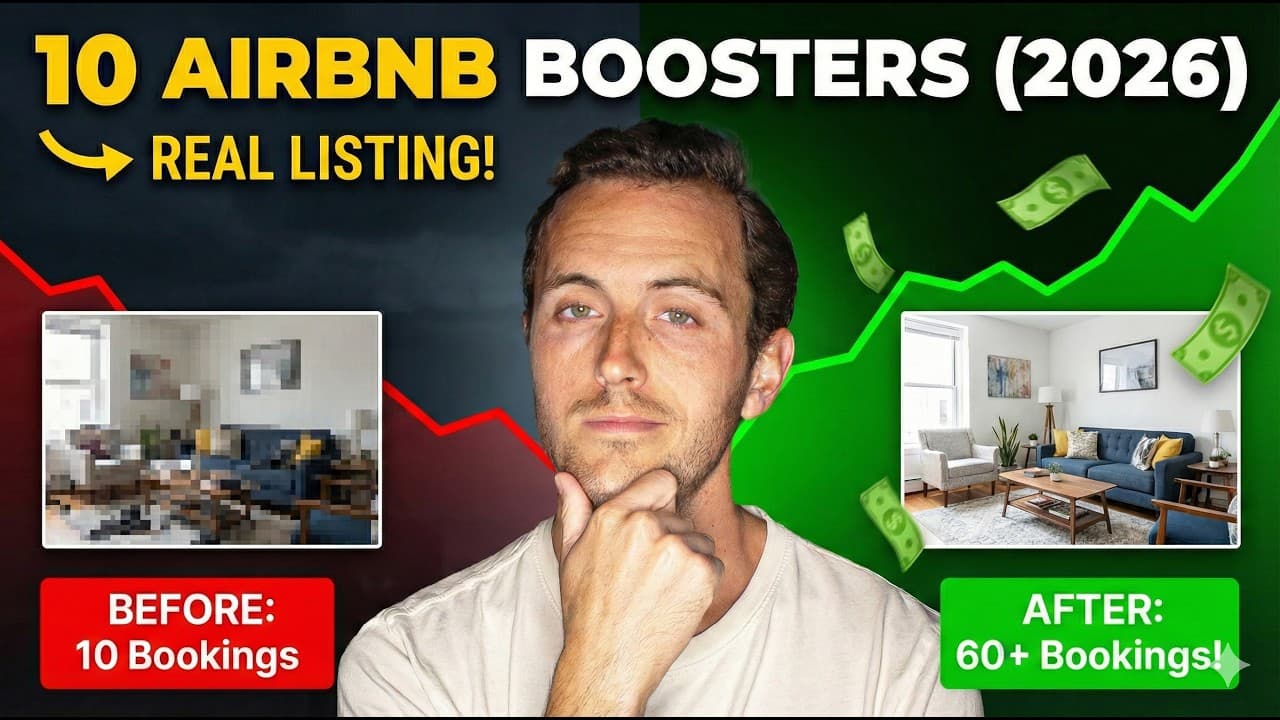
10 ESSENTIAL Steps to Improve Your Airbnb in 2026 (Real Listing Example!)
Most Airbnb listings lose bookings to the same fixable mistakes: bad photos, weak headlines, incomplete amenities, and missed seasonal opportunities. Here are 10 proven strategies to turn any underperforming listing into a consistent booking machine in 2026.
January 1, 2026 · 11 min read

10 Game-Changing Hacks to Improve Your Airbnb
What does it really mean to run a successful Airbnb in 2026? These 10 practical hacks — including a $15 sensor that prevented $44,000 in property damage — show exactly what separates top hosts from average ones.
January 16, 2025 · 9 min read

10 Tips to Get More Views on Airbnb
More views mean more bookings, and more bookings mean more revenue. This guide breaks down 10 actionable Airbnb listing optimization strategies that help hosts climb the search rankings and fill their calendars in 2026.
March 26, 2024 · 14 min read